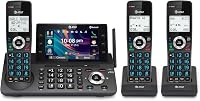
Which Battery Does an AT&T Cordless Phone Use?
The right AT&T cordless phone battery matches the battery number and requirements in your handset manual. Confirm your exact handset model, voltage, chemistry, and connector before choosing a replacement.
On this page (8 sections)
- Which AT&T cordless phone battery do you need?
- How do you check whether a replacement will fit?
- Which replacement pack suits your household?
- What do voltage and capacity change?
- When does a battery need replacing?
- How do you install and charge the new pack?
- How should you care for the battery?
- Which AT&T cordless phone battery should you choose?
The right AT&T cordless phone battery matches the battery number and requirements in your handset manual. Confirm your exact handset model before buying, then check the replacement's voltage, chemistry, connector, and fit.
Start with the label on the old pack, rather than the name on the phone's base. A replacement can support several battery numbers without fitting every AT&T handset.
The 3 options below suit different replacement needs: several handsets, a pair used for longer calls, or lightly used extensions. Compatibility comes first in every case.
Which AT&T cordless phone battery do you need?
Choose a pack that supports your exact handset and its specified battery type. The replacement numbers covered by all 3 options are BT162342, BT262342, BT183342, BT283342, BT166342, and BT266342.
These packs support specific AT&T models across the CL, EL, CRL, and TL families. A family prefix isn't enough: the remaining digits matter, and supported models vary between packs.
Some AT&T and VTech phones use compatible batteries. That shared compatibility doesn't make either brand's full range interchangeable.
Where is the AT&T cordless phone battery number?
Look on the old battery pack, beneath the handset's battery cover. Turn off the handset and open the compartment as its manual directs.
Write down the full battery number and take a clear photo of the label and connector. Also record the handset model, which may differ from the model printed on the main base.
If the battery label is missing, find the manual using the handset model. Don't guess from the color of the wrapping or the shape of the cells.
Our guide to replacing a cordless phone battery explains how to remove and reconnect a wired pack.
How do you check whether a replacement will fit?
Check electrical compatibility and physical fit before opening a new pack. A battery that fits inside the compartment can still have the wrong connector or electrical requirements.
Use this order:
- Confirm that the replacement supports your battery number and exact handset.
- Match the voltage and rechargeable battery chemistry required by the manual.
- Compare the connector shape, keying, and wire arrangement with the old pack.
- Check that the pack fits without pressure on the cover or wires.
All 3 options here are 2.4 V Ni-MH rechargeable packs made with two AAA-size cells. Don't substitute a different voltage or chemistry because the connector appears to fit.
The plug should connect in its intended orientation without force. Stop if it won't seat normally; trimming a plug or changing wires isn't a safe way to solve a mismatch.
For a multi-handset system, check each handset before ordering a bundle. An extension added later may not use the same pack as the original phones.
Which replacement pack suits your household?
Choose VANBOW for several compatible handsets, Kruta for a two-pack with higher stated capacity, or BAOBIAN for lightly used extensions. Decide how many packs you need now before buying extras.
VANBOW: for replacing several handset batteries
VANBOW suits a household with several compatible handsets whose batteries are fading at about the same time. Its four-pack lets you handle those replacements together.
There is one detail to settle before choosing it: VANBOW gives conflicting capacity figures of 800 mAh and 600 mAh. Confirm the capacity with VANBOW if time away from the cradle is a key part of your decision.
VANBOW states that the packs include over-voltage, over-current, over-charge, and short-circuit protection. Those features don't remove the need to match the pack to the handset and use its intended charger.
Skip this bundle if only one handset needs a battery and you have no near-term use for the others. Spare rechargeable packs age in storage, so a larger bundle isn't automatically the better choice.
Kruta: for two handsets used away from the cradle
Kruta is the clearest choice here for buyers who want a two-pack and prioritize capacity. Its 800 mAh capacity offers more nominal stored charge than BAOBIAN's option.
That makes it worth considering for handsets carried between rooms or used for longer calls. Capacity isn't a promise of specific talk time, since the phone's power use and battery condition also affect runtime.
Kruta specifies a 5264 connector with a round jack. Compare the actual plug with your old pack rather than relying on the connector name alone.
Skip it if your phone uses an excluded battery type, including BT1021 or BT1008. A similar-looking number isn't a substitute for an exact compatibility match.
BAOBIAN: for lightly used extensions
BAOBIAN suits compatible extensions that handle brief calls and return to their cradles regularly. Its two-pack is a practical choice when maximum capacity isn't your main need.
The 400 mAh capacity is lower than Kruta's. Choose Kruta instead if both fit your handset and your priority is more capacity for time off the charger.
BAOBIAN also supports specific CL-series handsets such as CL80101 and CL80111. Check the full model number rather than assuming that support for one CL handset covers another.
Skip this option if you regularly leave a handset away from its cradle for long periods. A lower-capacity pack leaves less reserve under otherwise equal conditions.
What do voltage and capacity change?
Voltage must match the handset's requirements; capacity helps you compare suitable packs. A higher mAh figure doesn't make an incompatible battery usable.
Within the correct battery type, more capacity generally means more stored charge. It doesn't mean twice the capacity will deliver exactly twice the call time.
Don't choose a pack only because it has the largest number on the label. Confirm fit first, then weigh capacity against your calling habits and the number of handsets you need to refresh.
Can loose rechargeable AAA batteries replace a wired pack?
Use the complete wired pack if that's what your handset requires. Loose cells don't include the joined wiring and connector needed for that compartment.
Don't cut open an old pack, solder cells together, or reuse its harness to adapt a replacement. Use loose rechargeable cells only when the handset manual specifically calls for them.
When does a battery need replacing?
Replace a battery when it can't hold enough charge for normal calls after proper charging. Shutdowns during calls and repeated low-battery warnings are useful clues, but check the charging path first.
Make sure the cradle has power, its adapter is connected, and the handset sits fully in place. Inspect accessible charging contacts for dirt and clean them as the manual directs.
If one handset fails while the others charge normally, focus on that handset, its pack, and its cradle. If several fail together, check shared power connections before ordering batteries for the whole system.
An out-of-range message points you toward connection troubleshooting too. Read why an AT&T cordless phone says out of range before treating that message as proof of battery failure.
If the system also has broken buttons, damaged charging contacts, or several failing handsets, compare repair needs with the best AT&T cordless phones. A battery swap addresses stored power, not worn controls or base faults.
How do you install and charge the new pack?
Follow the handset manual's replacement and initial charging instructions. Keep another working phone available if you depend on this line while the handset charges.
- Turn off the handset and remove the battery cover.
- Disconnect the old pack by holding its connector, not pulling its wires.
- Connect the compatible replacement in the correct orientation.
- Arrange the wires so they won't be pinched beneath the pack or cover.
- Close the compartment and seat the handset in its powered cradle.
Allow the full initial charge specified in the manual before judging runtime. Avoid using a universal charging time from another phone model.
Check that the handset indicates charging, then confirm that it can make and receive calls after charging. If it needs registration, follow how to pair an AT&T cordless phone to its base.
How should you care for the battery?
Use the intended charging cradle and the manual's charging routine. Keep the handset and spare packs away from strong heat, direct sunlight, and damp storage areas.
Don't deliberately run the handset flat before every charge. Repeatedly forcing a shutdown adds inconvenience and can leave you without a working phone when you need it.
Stop using a pack that leaks, swells, has damaged wrapping, or becomes unusually hot. Don't puncture it or try to repair its wiring.
Take old packs to a rechargeable-battery collection program and follow its handling rules. Keep loose connectors away from metal objects while storing packs for disposal.
Which AT&T cordless phone battery should you choose?
Choose Kruta for capacity in a two-pack, BAOBIAN for lightly used extensions, or VANBOW when several compatible handsets need replacements. Resolve VANBOW's capacity conflict before buying if runtime matters to you.
For any AT&T cordless phone battery, finish with the same check: exact handset, correct pack type, matching connector, and enough room for the wires. Buy only as many packs as you expect to use.
If a correctly fitted replacement still won't charge, follow our cordless phone battery replacement guide to work through the handset and charging checks.
Frequently asked questions
How do I know which battery my AT&T phone needs?
Match the battery number and requirements in your handset manual, then confirm compatibility with your exact handset model. Read the old pack's label and compare its voltage, chemistry, connector, and physical size with the replacement.
If the label is unreadable, use the handset model to find the correct manual.
Are AT&T cordless phone batteries interchangeable?
No, AT&T cordless phone batteries aren't all interchangeable. Some packs replace several battery numbers, but similar-looking packs can have different connectors, wiring, or electrical requirements.
Choose a replacement that supports your exact handset and specified battery type, rather than assuming that matching the brand or pack shape is enough.
How long does an AT&T cordless phone battery last?
There isn't one replacement schedule for every AT&T cordless phone battery. Replace a pack when it no longer holds enough charge for your calls after proper charging and basic charger checks.
Age, use, heat, and charging conditions affect service life, so judge the battery by its behavior rather than a fixed date.
Can I use rechargeable AAA batteries in an AT&T handset?
Use loose rechargeable AAA batteries only if your handset manual calls for them. The wired packs covered here contain two AAA-size rechargeable cells joined to a connector, which loose cells don't replace.
Don't cut wires, reuse an old harness, or change the battery format to make an unsuitable replacement fit.