Panasonic vs AT&T Cordless Phones: Which Is Better? (November 2026)
For Panasonic vs AT&T cordless phones, choose Panasonic for conversation recording and callback alerts, or AT&T for longer message storage. Choose the handset count that covers the rooms where you answer calls.
On this page (9 sections)
- Panasonic vs AT&T cordless phones: which differences matter?
- Who should buy each system, and who should skip it?
- Which phone handles unwanted calls better?
- Which answering machine fits your message habits?
- Which controls will be easiest for the person using the phone?
- How many handsets do you actually need?
- How should you set up your new cordless phone?
- What care habits and buying mistakes should you keep in mind?
- Which should you choose, Panasonic or AT&T?
For Panasonic vs AT&T cordless phones, choose Panasonic if you need to replay conversations or want a warning before returning a one-ring call. Choose AT&T if message storage, large on-screen text and Audio Assist matter more.
Start with your daily routine: where you answer, how you screen unfamiliar callers and how often you clear messages. Those needs will narrow the choice faster than comparing brand names.
For more options by brand, see our guides to Panasonic cordless phones and AT&T cordless phones.
 Best for replaying call details
Panasonic 3-handset cordless phone with advanced call block
Panasonic vs AT&T cordless phones: which differences matter?
The useful split is Panasonic's conversation tools versus AT&T's message space and call controls. All three systems include an answering machine, spoken caller identification and call blocking.
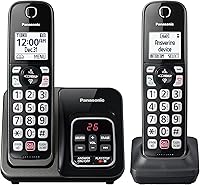
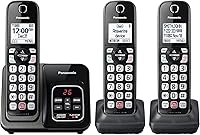
The Panasonic KX-TGD833M includes 3 handsets, expands to 6 and stores up to 17 minutes of messages. Its distinguishing features are 2-way conversation recording and a confirmation screen before returning a one-ring call.
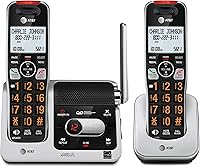
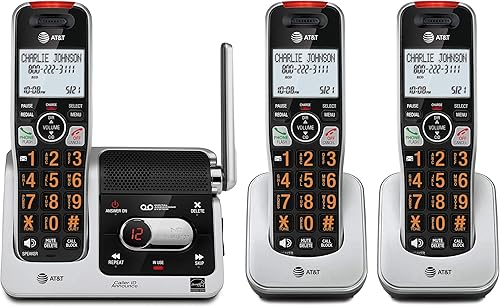
The AT&T BL102-3 includes 3 handsets, while the BL102-2 includes 2 and expands to 5. Both have up to 22 minutes for incoming messages, outgoing announcements and memos.
Both AT&T models also include Audio Assist, a full-duplex handset speakerphone and handset intercom. Their shared core features make the starting handset count the main reason to choose one package over the other.
Don't choose by a range slogan alone. Walls, floors and base placement affect cordless reception, so no brand claim can tell you exactly how a phone will work in your farthest room.
Panasonic vs AT&T cordless phones for different households
Choose Panasonic for a household that needs conversation replay or six handset locations. Choose an AT&T package when its shared controls fit your needs, then select two or three included handsets.
A person who takes detailed calls may value replay more than extra message space. Someone who mainly lets calls go to the answering machine has a stronger reason to favor AT&T.
For a smaller home, an unused third handset adds another charging spot without helping you answer calls. For a home with several floors, having a phone near each daily activity may matter more than either brand's extra features.
Who should buy each system, and who should skip it?
Buy the system whose main advantage solves a problem you already have. Skip features you won't use, especially when they add controls or charging locations to manage.
Panasonic KX-TGD833M: for keeping track of call details
The Panasonic suits people who want to replay appointment instructions, directions or other details discussed during a call. Conversation recording serves a different purpose from an answering machine, which takes messages when you don't answer.
The system announces “Start Recording” when recording begins. Make sure everyone agrees before recording a conversation, and follow the rules that apply where the callers are located.
Its message counter and playback from either the base or a handset also suit a home where several people check messages. You can choose where to listen rather than always returning to one spot.
Skip this package if you need only two phone locations and rarely want to save conversation details. Its main advantages won't add much to a routine built around brief calls and occasional voicemail.
AT&T BL102-3: for three regular answering locations
The BL102-3 fits a household that needs a phone in three places immediately. Think kitchen, bedroom and home office, with each location chosen because someone regularly answers calls there.
Its intercom can help people speak between handsets without calling across the house. The full-duplex speakerphone lets both ends speak and be heard at the same time, which is useful during shared conversations.
Skip the three-handset package if the third unit would stay in a drawer. Also choose a system with explicit conversation-recording support if saving live calls is your main requirement.
AT&T BL102-2: for a smaller starting setup
The BL102-2 fits a home where two well-placed handsets cover daily calls. It offers the same core message and call-screening features discussed here without requiring a third charging location.
It also suits someone who wants to start small and add compatible handsets as needs change. Plan the starting locations around where you spend time, rather than placing both phones near the phone jack.
Skip it if three people or rooms need ready access from day one. Compare complete packages before planning an immediate accessory purchase, since that adds another compatibility check.
Which phone handles unwanted calls better?
Both brands provide automatic screening and manual blocking; Panasonic adds a callback warning. Choose by the screening tools you want to manage, rather than assuming either system will stop every nuisance call.
Panasonic says its automated blocking pre-blocks robocalls, while its telemarketing option handles announced callers. A one-touch button lets you block up to 1,000 additional numbers.
AT&T says Smart Call Blocker prevents robocalls from ringing through, including on their first attempt. Its dedicated handset key adds unwanted callers to a directory holding up to 1,000 name and number entries.
Automatic screening and a saved block list do different jobs. Screening handles calls according to your chosen rules; a block list helps reject numbers you've already identified as unwanted.
Before tightening the settings, think about calls you need from unfamiliar numbers. A delivery driver, repair service or school may call from a number you haven't saved.
Keep the manual nearby while setting up screening, and review missed calls afterward. If expected calls aren't getting through, adjust the screening rules rather than turning every protection off.
For help choosing features, see our call-blocking cordless phone guide. For Panasonic-specific steps, see how to block calls on a Panasonic cordless phone.
Which answering machine fits your message habits?
Choose AT&T if messages often wait before you play them. Choose Panasonic if easier access to messages and the separate ability to save conversation details matter more to you.
AT&T's extra 5 minutes gives more room before the system fills, but announcements and memos also use that space. A long outgoing greeting reduces what remains for incoming calls.
Keep your greeting brief and tell callers what to leave: a name, callback number and reason for calling. That makes messages easier to act on and reduces unnecessary recording time.
Check whether your phone service also has voicemail. If service voicemail answers first, callers may never reach the answering machine in your home.
Decide which service should take messages, then set the answering delay accordingly. Leave a message from another phone to confirm that callers reach the greeting you intended.
Play saved messages regularly and delete those you no longer need. If a message contains important details, write them down before clearing it so the answering machine doesn't become your only record.
Which controls will be easiest for the person using the phone?
Favor readable controls and familiar daily steps over the longest feature list. Both brands have illuminated keypads and high-contrast displays, but AT&T adds a 2-inch screen, enlarged text and Audio Assist.
Panasonic has large keypad characters and speed dial for one-touch access to frequently called numbers. Those shortcuts can reduce the number of digits someone needs to enter during a normal day.
AT&T's speakerphone may suit someone who prefers to set the handset down during a call. Audio Assist is another feature to consider, but it isn't a promise that the phone will meet every hearing need.
Spoken caller identification helps you decide whether to answer without reading the display. Confirm that your phone service supports caller ID, and remember that a displayed or spoken name isn't proof of identity.
For a parent or another family member, explain answering, ending calls and playing messages first. Add blocking and other menu tasks once those basic steps feel familiar.
For more choices with large text and lighted controls, see our guide to cordless landline phones for seniors.
How many handsets do you actually need?
Count regular answering locations, not the total number of rooms. A handset earns its place when it saves someone a frequent trip or keeps a phone within easy reach.
Walk through a normal day and note where you would answer while cooking, working or getting ready for bed. Include access to an outlet at each charging location.
Extra charging cradles generally need electrical power rather than separate phone jacks; the main base connects to your phone service. Keep chargers on stable surfaces away from sinks and other places where splashes are likely.
More handsets don't create more outside phone lines. These are single-line systems, so handset count should not be confused with the number of independent calls a household can make.
Expansion also requires a compatible accessory handset. Don't assume that another Panasonic or AT&T handset will pair just because the brand matches.
Our guide to how many handsets a cordless phone system needs helps you plan locations before choosing a package.
How should you set up your new cordless phone?
Connect the main base to power and an active phone connection, then charge the handsets for the period stated in the manual. Finish the basic calling setup before adding screening rules and shortcuts.
A working wall jack and a phone port on an internet calling device are different connection routes. Confirm where your home phone service enters the room before moving the base or disconnecting your old phone.
Follow the battery installation directions for the exact handset. Use the included power adapters in their intended locations, and avoid mixing them with adapters left over from another system.
Place the base in an open location, raised off the floor when practical. Large metal objects and dense walls can reduce the usefulness of an otherwise convenient spot.
Make a call from the rooms where you'll use each handset, including the farthest location. If speech breaks up, try moving the base before deciding you need more handsets.
Next, set the date, time and greeting, then add frequent contacts and screening preferences. Ask someone to call and leave a message so you can check ringing, caller information and playback.
For the connection steps, see how to connect a cordless phone to a phone jack.
What care habits and buying mistakes should you keep in mind?
Keep the phones charged, dry and easy to find. A consistent charging place and a short message routine do more for everyday convenience than leaving every feature at its default setting.
Wipe the handset and charging contacts with a soft, dry cloth, following the manual's care directions. Keep liquids away from the keypad and cradle rather than spraying cleaner directly onto either.
If operating time becomes much shorter, first check that the handset sits correctly in its charger and that the contacts are clean. Use the exact compatible rechargeable battery or pack when replacement is needed.
The battery styles differ between these systems, so don't buy by brand alone. Our guide to replacing a cordless phone battery explains how to identify the right replacement.
Avoid these common mistakes:
- Choosing by advertised range alone. Plan base placement and check reception in the rooms you use.
- Buying an unrelated expansion handset. Match the accessory to the exact base model.
- Treating caller ID as identity proof. Verify unexpected requests through a known contact number.
- Assuming a charged handset means outage service. Cordless bases generally need power, and internet phone service adds other power needs.
- Changing every setting at once. Confirm normal calls work before adjusting screening and message options.
Which should you choose, Panasonic or AT&T?
Make your Panasonic vs AT&T cordless phones decision by choosing the feature you would miss most. Then confirm that the included handsets cover your daily answering locations.
Pick the Panasonic KX-TGD833M if replaying conversation details or expanding to six handset locations drives the decision. Its callback confirmation screen is another reason to choose it for someone who often returns missed calls.
Pick the AT&T BL102-3 if three rooms need phones now and message space matters more than conversation recording. Choose the BL102-2 if two locations cover your home and you prefer a smaller starting setup.
Before ordering, write down your handset locations and decide whether the home answering machine or service voicemail will take messages. If none of these packages fits that plan, compare our best cordless phones with answering machines.
Frequently asked questions
Is Panasonic or AT&T better for cordless phones?
Panasonic is the better fit for recording conversation details and getting a warning before returning a one-ring call; AT&T suits households that want more answering-system space and Audio Assist. Choose between these specific systems by daily needs, since their features do not guarantee a winner across every phone from either brand.
Which phone has the longer answering machine?
Both AT&T BL102 models have up to 22 minutes of answering-system recording, while the Panasonic stores up to 17 minutes of messages; AT&T shares its capacity among incoming messages, outgoing announcements and memos. Regularly clearing messages you no longer need matters whichever system you choose.
Can the Panasonic phone block robocalls?
Yes, Panasonic's automated call blocking is designed to pre-block robocalls, with a separate option for announced telemarketing callers; a handset button also lets you block up to 1,000 additional numbers. Set the screening options carefully so expected calls from unfamiliar numbers can still reach you.
How many handsets can these cordless phones use?
The Panasonic includes 3 handsets and expands to 6, while the AT&T BL102-2 includes 2 and expands to 5; the BL102-3 includes 3 handsets. Count the places where you answer calls, then confirm the exact compatible accessory model before buying any additional handset.
Do Panasonic or AT&T cordless phones announce callers?
Yes, Panasonic has Talking Caller ID, and both AT&T BL102 models announce the caller's name through the handset; check your phone service's caller ID support before relying on this feature. A spoken name helps you screen calls, but it does not prove that the caller is who they claim to be.