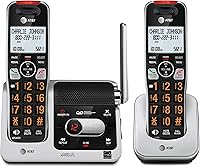
How to Connect a Cordless Phone to a Phone Jack
To connect a cordless phone to a landline, connect the main base to an active phone jack and a power outlet, then install and charge the handset batteries. Register the handset if needed, following your model's manual.
On this page (10 sections)
- What do you need to connect a cordless phone to a landline?
- How do you connect the base to a phone jack?
- How do you set up and charge the handset?
- How do you check whether the connection works?
- What if the base connects through a modem or voice gateway?
- Why is there no dial tone after setup?
- How do you connect more than one handset?
- What should you do if the handset won't connect to the base?
- How do you keep the setup reliable?
- Which setup and phone should you choose?
To connect a cordless phone to a landline, plug the main base into an active phone jack and a power outlet, then install and charge the handset batteries. Register the handset if needed, following the manual for your model.
“Cordless” describes the link between the handset and base. The main base still needs a wired connection to your phone service, while extra charging cradles usually need only electrical power.
What do you need to connect a cordless phone to a landline?
You need the main base, its correct power adapter, a telephone line cord, and active phone service. Each handset also needs its specified rechargeable batteries and a powered charging position.
Before buying a replacement system, find where your current phone service enters the home. It may use a wall jack, a cable voice gateway, or a separate phone adapter.
A socket that fits the cord isn't proof of active service. If possible, confirm that your existing phone works on that connection before disconnecting it.
Choose a base location near both connections, away from heat and moisture. Extra handsets can go in other rooms, provided they remain within reach of the base's wireless signal.
How do you connect the base to a phone jack?
Run the telephone cord from the base's line port to the active phone jack, then connect the base's power adapter. Use the main base with the phone-line socket, rather than a handset charging cradle.
How to connect your cordless phone to the landline jack
- Find the base port labeled LINE, TEL LINE, or a similar name.
- Insert the telephone cord until the plug seats securely.
- Connect the other end to the active wall jack.
- Attach the correct power adapter to the base and outlet.
- Arrange the cords so furniture won't crush them or pull them loose.
Don't force a connector into a port or substitute a power adapter just because its plug fits. Use the adapter specified for that base or charger.
The Panasonic system suits households that want call screening and conversation recording alongside ordinary landline calls. It includes 2 handsets, automated call blocking, a one-touch block button, and an answering system with up to 17 minutes of message storage.
Choose it if those call-management tools will be useful; skip it if your priority is a system that can grow beyond 6 handsets. Before recording conversations, check the consent requirements where you and the other caller are located.
For related setup help, see how to pair an AT&T cordless phone to its base or how to add an extra VTech handset.
How do you set up and charge the handset?
Install the correct batteries and complete the initial charge before relying on the handset. Follow the manual's charging time rather than using talk-time figures as charging instructions.
Match the battery polarity marks, connect any battery-pack plug as directed, and close the cover. Remove any shipping tab only when the instructions call for it.
Set the handset securely in its powered cradle and look for a charging indicator. If none appears, check the charger connection and battery installation before assuming the battery needs replacement.
The AT&T BL102-2 suits buyers who want large controls and help hearing speech. Its 2-inch high-contrast screen, lighted keypad, Audio Assist, and caller-name announcements make it worth considering for someone who struggles with smaller displays or quiet calls.
It also has voice-guided answering-system setup and up to 22 minutes of recording capacity. Skip it if you expect to need more than its supported 5 handsets.
A second handset doesn't need its own phone jack. If it won't hold a charge, our guide to cordless phone batteries explains replacement basics.
How do you check whether the connection works?
Confirm both outgoing and incoming calls before setting up optional features. Press the handset's call button, listen for a dial tone, and call another phone you can answer.
Check that speech works in both directions, then call the home number back. Answer from each included handset so you know both can reach the base.
Next, record an answering-machine greeting and leave a short message. Caller ID may depend on your service plan, so ask your provider if calls work but caller details don't appear.
If you use provider voicemail too, decide which service should answer first. Set the phone's answer delay accordingly, or disable its answering machine if you want all messages handled by the provider.
What if the base connects through a modem or voice gateway?
Connect the base to the provider's active PHONE or TEL port, rather than an Ethernet socket. The gateway or phone adapter must have power and an enabled phone service.
Internet service alone doesn't create a home phone line. If the device has several telephone ports, ask your provider which one is assigned to your number.
Don't connect a gateway's phone output to household wall wiring unless your provider confirms the wiring is ready for it. A direct connection from the gateway to the cordless base avoids guessing which wall sockets are active.
Read our guide to using a cordless phone with VoIP, Xfinity Voice, or Ooma for more on this setup.
Why is there no dial tone after setup?
Check power, the line connection, and handset registration before resetting anything. Work through one possible cause at a time so you can identify what restores service.
- No base power: Check the adapter at both ends and confirm the outlet works.
- Loose or damaged cord: Reseat the telephone plugs, then try another telephone cord if available.
- Handset connection error: Move near the base and check registration.
- Inactive service: Try a known-working phone on the same jack or phone port.
If another phone works there, focus on the cordless system and its cord. If neither works, ask the provider to check the service before buying a replacement phone.
For an “Out of range” message, see why an AT&T cordless phone may say out of range. An extra charging cradle supplies power; it doesn't extend the base's wireless coverage.
How do you connect more than one handset?
Connect the main base once, then charge and register each compatible handset to it. Buying a second complete phone system isn't the same as adding an accessory handset.
Check the base model and the approved accessory model before ordering. A matching brand name alone doesn't guarantee compatibility.
The AT&T CL82207 suits homes that need many places to answer one line. It starts with 2 handsets and supports up to 12 total using compatible CL80107 or CL80067 accessories.
Choose it for planned expansion across several rooms; skip it if you need separate phone lines for different people. More handsets on this single-line system don't create additional outside lines.
Count useful answering spots before choosing capacity. Our guide to how many cordless handsets you need can help you plan the rooms.
What should you do if the handset won't connect to the base?
Use the registration procedure for your exact handset and base combination. Included handsets may already be registered, so check the display and manual before changing settings.
Keep the handset charged and near the powered base during pairing. Avoid copying a button sequence from a different model, since registration controls vary.
Don't erase registrations as a first troubleshooting step. That can disconnect working handsets and add more setup work.
For an AT&T system, follow our steps for pairing an AT&T cordless phone to its base.
How do you keep the setup reliable?
Keep the base powered, the charging contacts clean, and the cords protected. Wipe the handset and cradle with a soft cloth, following the manual's cleaning directions, and avoid spraying liquid into contacts or ports.
If calls drop only in certain rooms, try moving the base to a more open location. Stay within the phone cord's safe reach and check calls again after moving it.
Recharge handsets as directed and replace aging batteries with the specified rechargeable type. Don't substitute ordinary disposable batteries in a charging handset.
A cordless phone generally needs powered equipment to make calls. Ask your provider what backup power your phone service needs if you depend on it during an outage.
Which setup and phone should you choose?
How to connect a cordless phone to a landline depends first on where your active service comes from. Use the working wall jack for traditional service, or the designated phone port for a gateway-based service.
Choose Panasonic for its call-management and conversation-recording tools, the AT&T BL102-2 for its large controls and Audio Assist, or the CL82207 for expansion to many rooms.
If your current phone already meets your needs, solve the connection problem before replacing it. For a broader choice of systems, compare our best cordless phones for home.
For an internet-based phone connection, follow our guide to using a cordless phone with VoIP.
Frequently asked questions
Does a cordless phone base need to be plugged into a phone jack?
Yes, for landline calls, the main base needs a telephone cord connected to an active wall jack or your provider's phone port; it also needs power from its adapter. The handset communicates wirelessly with the base, so an extra handset charger needs an outlet but no phone jack.
Can I plug a cordless phone into a cable modem?
Yes, if the modem or voice gateway has an active home phone service port; connect the base's telephone cord to the port labeled TEL or PHONE, following your provider's instructions. An Ethernet port cannot supply that connection, and buying a cordless phone does not activate a phone service.
Why does my cordless phone have no dial tone?
No dial tone can mean the base has no power, the cord is loose, the handset isn't registered, or the phone service is inactive; check power and connections first. If another working phone also has no dial tone at that same jack, ask your provider to check the service.
Can one phone jack support two cordless handsets?
Yes, a compatible 2-handset cordless system uses one phone jack because both handsets link wirelessly to the main base; the separate charger only needs electrical power. For later additions, match the accessory handset to the exact base model and check the system's maximum handset count before buying.